11630 SW 97 Street, Miami, Florida 33176, US
 +1-786-628-7980
 Sign Up/Sign In
  11630 SW 97 Street, Miami, Florida 33176, US
After putting in countless hours to create a perfect headline and story, everything just stops working when you hit the publish button. You see syndication links, you get a simple report by email, and you wonder who actually read it.
That was the way it was with the legacy wire services. They would charge you a few extra dollars for premium distribution, extra charges for words or photos, and send the press release to the feeds where absolutely nobody would read it.
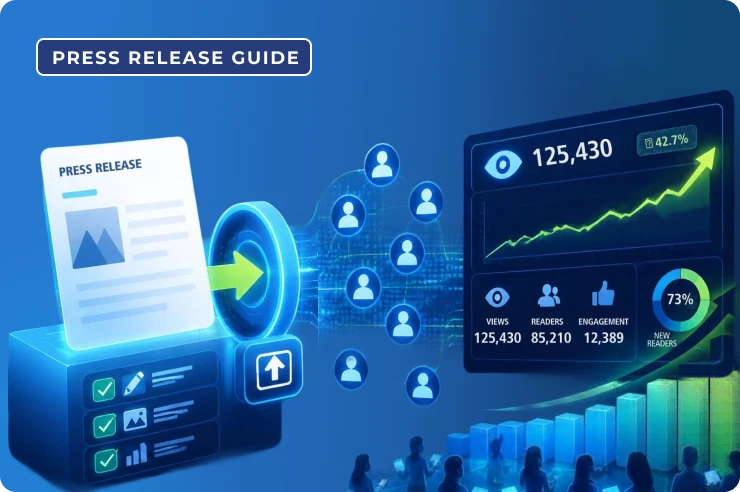
iCrowdNewswire has a very different strategy. It merges traditional distribution with the targeted digital advertising to target your target audience through websites, social media networks, and searches.
This guide on how to submit a press release will help you through every stages of the process, from preparation and targeting to the moment you submit a press release and start getting actual views.
It is essential to know precisely what you are receiving before filling out any paperwork. The distribution plan is as crucial as the writing of your press release.
Most cables are priced by word count, and exceeding this by a small amount may cost you more. That is not the case with iCrowdNewswire, because we are focused on digital media, which allows you to expand your story and include images, videos, and links without having to calculate how many words you are using and how that may affect the invoice.
We use your press release headline to advertise across our partners, ad networks, and social networks in addition to syndicating your press release. You will receive a set number of impressions for your headline based on your specified audience and plan.
The way people find things has changed. Rather than just searching on search engines, people are now turning to AI-powered assistants like ChatGPT and Perplexity to find brands and products. A good format for a syndicated press release makes it easier for these tools to find you, and you can see how fast AI tools cite your press release once it goes live.
Now you can have your press release translated for free into some of the most popular foreign languages, which can make it much more affordable and convenient than ever before to expand into international areas.
There is nothing quite as irritating as half-filling out an application form only to find out you have not got your logo yet. Before you submit a news release or start any campaign, just put everything in a single folder for now.
To start a campaign, the folders should have the following elements:
Here are the six steps on how to submit a press release, from choosing a pricing package to final distribution.
Packages are tiered, and each level usually adds more reach, more features, and more detailed reporting in the pricing section.
Here is a general breakdown:
|
Package Level |
What You Typically Get |
Best For |
|
Entry level |
Essential syndication, assistance for multimedia, a basic level of headline impressions, and conventional reporting. |
Local announcements, startups, product updates. |
|
Mid tier |
Increased impression numbers, wider targeting capabilities, translation choices, and more in-depth analytics. |
Tech, finance, and companies expanding into new regions. |
|
Top tier |
The greatest possible reach, top-tier placements, complete access to add-ons, and reporting designed for executives. |
Major launches, funding announcements, corporate news. |
Package names, impression counts, and inclusions are subject to change, so please check the most recent details on the website before purchasing.
Pro Tip: In case you manage an agency, or you intend to send releases on a regular basis, please contact the sales department prior to making an individual purchase.
Compare Packages & Claim Guaranteed Impressions
After selecting your bundle, you will decide the level of involvement you prefer. If you feel comfortable using online tools, the easiest choice is to use a self-service portal. You insert your content, upload your files, select your targeting criteria, and set up the deployment. Each option remains completely within your control.
But if you do not have the time or the news item is high-profile, then a managed service PR professional will do it all for you. They will ensure all formatting is done properly, check picture sizes, check links, and make sure targeting is set up properly.
The submission form is structured in a manner consistent with a press release template. Here are the tips to maximize each part.
Start with the information about the news and its benefits rather than excitement about the news by the company.
Add one fact that will make the headline trustworthy.
Copy and paste your text into the editor and format it for skimmers
Add your logo and photos in the media section. If a demo video of the product exists or there’s an interview with the founder, add the link to that video. A brief clip can hold readers on the page for longer than plain text is able to.
You decide who sees your headline.
Select the nations, states, regions, or cities relevant to your release. When you open your facility in one country, there is no reason to get impressions in another country.
Select the industry categories for your news, whether it is technology, health care, financials, consumer goods, energy, or lifestyle. This will help ensure your release ends up in the right places.
When you are sending advertisements as a news distribution package, it would be easy for you to divide your audience depending on their age, interests, or profession.
Before you pay for it, there are some optional add-ons that you would select depending on your goals, not the quality of the package.
It’s almost complete. Make sure you do these things before paying:
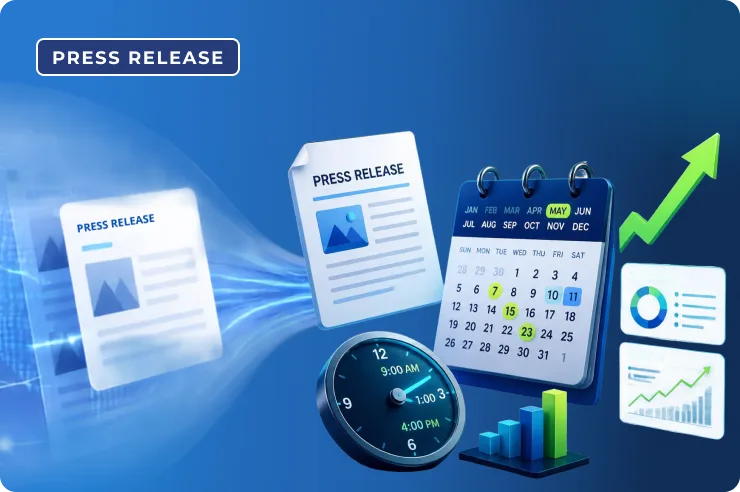
Timing tip: Based on your market’s time zone, Tuesday, Wednesday, or Thursday mornings from 8 to 10 a.m. work better than Friday afternoons or weekends. That is the best time to send a press release when journalists and other professionals look through their feeds.
After payment, our editorial team will review your release for compliance. After that, it will be published according to your plan.
After you launch, you will find the information you are looking for. We also provide you with the initial distribution report for each of your campaigns. This tells you a few things worth looking into:
This is the live URL of your distributed press release. Keep these links; they will help with promotion and credibility with potential customers.
The number of times your headline is viewed is indicated by impressions. You can find out how many people find your title compelling enough to read by looking at the click-through rate. If you are getting low CTRs generally, it indicates that you need to change your title in future publications.
If most of your users are on mobile, ensure your landing page is mobile-optimized.
Here you may check where your release was distributed. News aggregators, search engines, and other sources of discovery. Use this data to optimize your next release. Every campaign is subordinate to a better campaign.
Visibility is essential. But revenue is better yet. There are three things that you can do to make sure that your press release is in line with real company objectives.
Your home page appeals to everyone, which is why it is not a great place for press release traffic. After landing on the main page, visitors must search for their purpose. Create a landing page to go along with your press release. Just make sure your call to action is really obvious, and your title is identical.
Click here for additional information. This leads to nowhere. Tell the readers to do something and why. For further information, please visit our website. Choose: Free 14-day trial and learn how much time you may save in your first week. Be detailed, brief, and make the benefits prominent.
If you are getting coverage from well-known media outlets, use it to your advantage. When someone visits your website for the first time, you might see a widget that says As featured on with the logos of magazines on your landing page, pricing page, or even the checkout process page, and this can minimize suspicion.
In short, now you know that how to submit a press release that earns actual views; you can see press releases are no longer just another thing to tick off a list. A good press release will build awareness, establish credibility, and attract traffic. For this to be achieved, a strong press release must be coupled with effective distribution and a report that will help in understanding if the distribution technique was successful or not.
We help with targeted adverts, multimedia capabilities, translation services, and reports that you may apply. If you have spent time and effort on something that is worth telling the world about, then you need to make sure the correct people know about it.


You may like these post too