11630 SW 97 Street, Miami, Florida 33176, US
 +1-786-628-7980
 Sign Up/Sign In
 11630 SW 97 Street, Miami, Florida 33176, US
You publish your press release, post your URL on LinkedIn, then wait, but nothing happens. Why not? The distribution phase ensures the release is distributed, but not that anyone notices it.
The distribution report could be showing thousands of impressions, and yet very few of them will actually get read. The problem lies in moving from guaranteed distribution to guaranteed engagement. Social media advertising strategy can bridge the gap only if it is used in the right way.
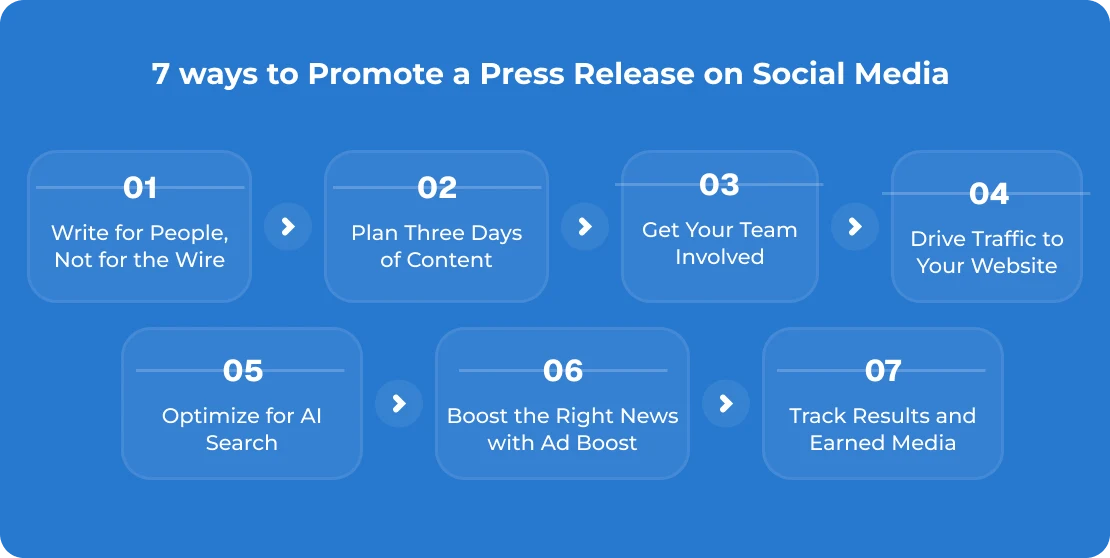
We have compiled these seven methods for press release promotion for maximum reach.
Follow these seven press release promotion methods to get maximum coverage through your press release.
The most common mistake is copy-pasting the press release title directly into a LinkedIn post. This is not promotion. You are simply publishing the same official document twice.
A press release is meant for journalists and search engines. A social post is meant for a real person who is looking at her phone right now while eating something. We think of the press release as source material, not finished work.
Before publishing any information, we take the one thing that a total stranger might care about: a stunning number, a sharp quote from the CEO, or a sentence answering a concern. And then we adjust that content to the specific platform. Same news, but different tone of voice.
Start with a first line that describes the news like in a text message to a friend. If it sounds like a press release, rewrite it.
While a single post is usually never enough, you should not go overboard and bombard people with your announcements, too. Typically, we schedule only one announcement over three days:
Some posts will give your audience news without requiring any clicking. Some posts will tease and drive people back to read more. A combination of both is good for success and will keep your press release alive for several days.
Your team can help increase the reach of your announcements by sharing them through their professional networks. News announced by any of your employees or founders or any of your sales teams will not only go out through your organization’s channels but may also be shared through other networks as well.
After your announcement gets published and is distributed, your team members can go ahead and share your published link with others through different networks. Just sharing the news of your announcement through one of your founders or team members can really help your announcement get some extra exposure.
Get your team to share those announcements that will be interesting for their networks and that matter to them as well.
The success of a social post is dependent on the destination it lands its viewers on. Most viewers who follow the link from the post and get directed to a wire page would probably go back.
Always direct the viewer to a place that gives an experience related to the brand. It could either be a newsroom page, an expanded post about the news through a blog, or even a landing page that has just one action step. Attach a UTM to each link so that you know which posts brought you the traffic.
That is where most brands fail, and that is where most of their leads are lost. Keep it simple. This means that there should be a headline on the post that relates to the news, a few facts, possibly even an image or video, and an action button.
And it is the largest change in the last couple of years. People are now turning to ChatGPT, Perplexity, and Claude to get their answers rather than going through the results page. If your press release is not optimised for these technologies, you are missing out on a big part of the audience.
That is why we design our Premium packages to be AI-friendly and why we specialize in AEO and GEO services to optimize press releases for answer engines. Specifically, this means:
Social posts that link to your optimized press release send signals to humans and search engines alike.
This is where complete transparency becomes necessary. No amount of payment for promotion can transform a poor story into a good one, clarify an ambiguous call to action, or create interest where none exists.
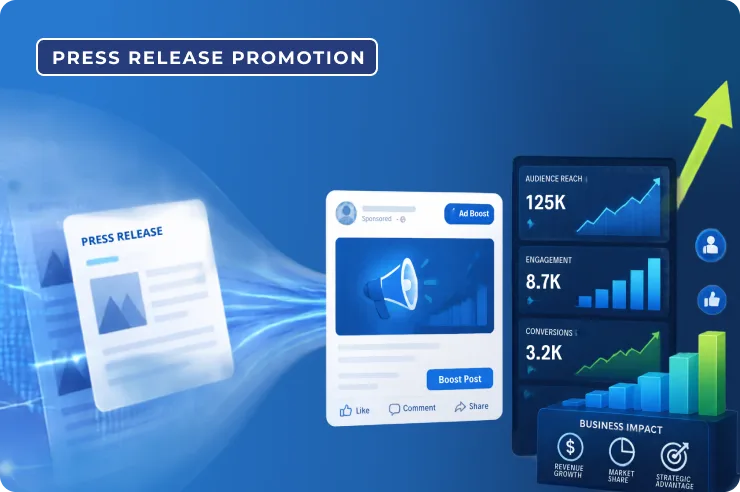
This is what happens when we run your ad using Ad Boost. Your message does not get buried in an archive page that never gets visited; it gets turned into banner ads, sponsored social media posts, and native network ads.
While your message used to be seen only by your followers, now it will be seen by people picked out based on certain criteria, like their position in their organization, industry, and geography, from premium websites and platforms.
Before we even suggest any announcement to be promoted, we ask a few questions about it. And if the answer to at least two out of four is no, we tell you to save your money and promote another announcement.
Is it actually news?
Does your timing make sense?
Are you measuring?
The super premium package goes even further, offering at least 100,000 guaranteed headline views, all the way up to a million headline views, all delivered to more than 3,700 sites in 26 countries. To prevent placement from being left to luck, our system uses real engagement data that recognizes how users interact and provides placements accordingly.
In this instance, use other people’s knowledge of you being written up by a journalist, blogger, or even someone in your industry to your advantage rather than writing your own article about it.
In this case, get people to know about your writing by using quotes from the journalist and linking back to his story. After this, review what has worked:
This is precisely where reports fall short in most cases. Impressions tell you how many times your headline is shown somewhere. Impressions do not tell you if someone has read it. Rather than showing you engagement, clicks, and the next action taken, all we want to do is give you a huge figure that does not mean much.
It is necessary to select one primary statistic before conducting the campaign, whether it is the click-through rate, the landing page conversion, or direct leads. While comparing,
You do not need a social team to do this, either. A sample week might go like this:
Monday: Release your announcement. Tweet your top messages, including a link to your newsroom, and send your toolkit to your team.
Tuesday: Create an individual post from the statistics or quotes mentioned in the announcement but without a link.
Wednesday: Make a native graphic or video related to the announcement.
Thursday: Do an Ad Boost if the announcement makes the four-question test. Set a budget and define one goal.
Friday: Tweet any pickups.
Saturday & Sunday: Give it some breathing room. Do not feel the need to overpost.
In the coming week, take a minute to reflect. Thank those who interacted, and tweet the release one last time.
In short, press release promotion helps you get your press release out in the system. Social media gets your press release in front of actual people. Ad Boost will get your press release in front of the right person at the right time, provided that your announcement is worthy of such attention.
Here at iCrowdNewswire, we are not here to do away with the wire and social media posting. We are here to connect the two: AI-enhanced distribution for discoverability, targeted and premium distribution for relevance, organic social for conversation, and Ad Boost for engagement.
If you begin by using a free and organic promotion, or a paid promotion altogether, the concept always remains the same: Get attention first, then amplify it. You have posted your press release. Now, make sure that some people see it.
Ready to Publish Your Next Announcement?
Talk to Our Team and Get Your Press Release Distributed
No, press releases are not outdated. In recent years, the shift has changed a bit chnged towards direct journalist and media pitching. Press releases matter a lot for record-keeping, LLM training, visibility, and gaining investor trust.
Successful press release marketing manages brand narrative, drives visibility, strengthen SEO build credibilty and position in the competitor market.
A good hooked story, structured headings, author quotes, supporting facts, boilerplate, and contact information.


You may like these post too