11630 SW 97 Street, Miami, Florida 33176, US
 +1-786-628-7980
 Sign Up/Sign In
 11630 SW 97 Street, Miami, Florida 33176, US
You got the news. It might be a product launch, a funding round, a partnership, or anything else that you would like to communicate about. You have already created your press release but are confused about who you are supposed to send the press release to?
If you have a big PR team, you will probably use tools to find the platforms to send a press release. These tools are great, but they cost you thousands per year. If you are a startup or a business owner on a tight budget, that price is hard to justify.
You required few hours to research your topic and making a list in a spreadsheet. This guide will help you build a targeted media list. Also, if you have not written your press release yet, you should check out this tutorial about writing a press release for a new product first.
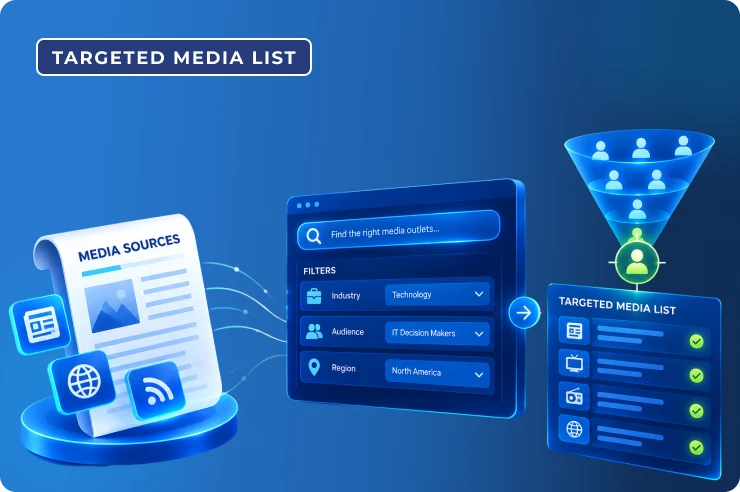
A media list is, essentially, a targeted list of all the people who are interested in covering your story, such as journalists, bloggers, editors, and podcasters, among others. Each journalist or podcaster on your list has details like the media where they write, the topic they cover, or contact information and recent publications.
The key term here is targeted. Many people beginning PR start by making a huge list and sending the same email to everyone on it. It feels productive but is not. There are many pitches every journalist receives; most of them are irrelevant to the topics the journalist covers.
If you send an announcement in fintech to a food journalist, you will not only fail at getting covered; instead, you will probably be reported as spam. A targeted list is quite the contrary; it is small, researched, and relevant. And fifty carefully selected contacts will normally beat five hundred random contacts.
Before you search for a journalist by name, clarify what you are pitching to him or her. Answer the following questions:
For instance, if you are launching a novel AI-based scheduling application for small medical clinics. Rather than contacting journalists covering anything and everything, try to find those journalists who cover health and tech, software products for small enterprises, and AI applications in healthcare.
Then compile five to ten keywords describing your news item. This is the list of keywords that will be used for future searches.
Google News looks like it is the way to go when looking for your journalist. Just go to Google News, use your keywords, click on the News tab, and start searching using phrases. Choose the option for the last month, or even better, the last week.
Open all the results that are relevant to you and note the name of the author and the media he works for. It is likely a person who covered a similar story two weeks ago will be more interested in your story than one who did it in 2019. Click on the journalist’s name, and most likely there will be his profile page.
There is a good chance that if a journalist wrote about a company like yours, they might also consider writing about your company. Start by searching your competitors on Google News and then look at the press or in the news part of their website.
Look for the publications that featured the companies, the authors of the pieces, and the angle taken, which could be anything from funding to innovation to founders’ stories or customers. Put them on your list and make note of what angle was used. Pitch the news in a new angle rather than reproducing something that is already written.
Almost all reporters have LinkedIn profiles or Twitter accounts or both. Social media will tell you that a free media database will not. For example, what a reporter cares about right now. If you are using Twitter, search your keywords together with words such as reporter or editor.
Many journalists clearly mention their areas of work in their biographies. Create a private list to follow reporters without polluting your newsfeed, and look out for journalists posting about sources.
On LinkedIn, find the profiles that match your search terms and industry terms, read their articles, follow them, participate in their articles, and then pitch yourself. A relevant comment is always more useful than an unsolicited e-mail from someone you do not know. A single connection will make your pitch seem less random.
Often, people pick known publications and wonder why no one responds. Such outlets receive a ton of pitches, and competition is high.
Sometimes, smaller or niche media is the answer:
Find industry blogs, newsletters, and podcasts, and look at the About or Contact pages of such websites to find out who the editor or host of the podcast is.
Getting mentioned in a respected niche publication means much more than being mentioned in a known one that your customers are not even reading. That is the reason why it is necessary to get wide coverage, including niche outlets. That is what Af Boost does by promoting your release headline in premium and niche industry media and social platforms so you do not have to depend on just your contacts.

Journalists usually invite people to provide them with some kind of information or an opinion on something. Answering this call for assistance becomes easy because the journalist has already told you what he or she needs.
Discover the free versions of the source matching services, use the hashtag, and sign up for newsletters and communities where journalists make calls for assistance. Your call for assistance does not even have to match the press release that you have made; any person answering you will be your contact.
After obtaining names, you need some way to connect with them. Here is what you got:
There are free email validation tools available; you would want to ensure that you are sending the emails to the right address. Use professional emails and give instructions to unsubscribe from the mailing list.
A media list only works if you can actually use it. You do not need advanced software. A free Google Sheet will do. Set up these columns:
|
Column |
What goes in it |
|
Name |
The journalist’s full name. |
|
Outlet |
Publication, blog, or podcast. |
|
Beat |
What they usually cover. |
|
Recent Article |
A link to something relevant they wrote. |
|
Email / Contact |
A verified way to reach them. |
|
Social Profile |
LinkedIn or Twitter link. |
|
Pitch Angle |
Why your story fits them. |
|
Status |
Not contacted, pitched, replied, follow-up. |
|
Notes |
Anything personal worth remembering. |
The two important columns are Recent Article and Pitch Angle. These two columns make you answer the important question every journalist asks silently: Why should I care? And you will have everything required for writing a personal email.
It is also better to divide your contacts into three groups. The first one is the group of your dreams, the second one is realistic contacts, and the third group includes niche/local contacts who will probably say yes.
After you create a list, your pitch will contribute to ensuring that your news is interesting. Consider the following hints:
It definitely makes sense to understand the crucial difference between the pitch and the press release. It is essential to remember that your pitch should be short, personal, and relevant. Your pitch should be short, personal, and relevant to the needs of the journalist.
Make sure that your press release is worth clicking. Headlines, lack of quotes, and bad writing can spoil a good story, so do not make basic mistakes when writing a press release.
Media lists are not one-off efforts. Journalists often move from one employer to another and switch beats. Therefore, you must update your media list at least every other week.
In time, you build something really valuable. A few warm connections will be worth more to you than any database you can buy.
Mistakes that quietly kill campaigns:
If you can not see what worked, you can not improve it. Looking at distribution reports shows you what good tracking looks like.
One-to-One Marketing is highly effective, but you have to use direct marketing in order to contact those websites that are in your list. Good PR campaigns combine both, since you tell your story personally to selected journalists while distributing it widely.
After creating pitches, iCrowdnewswire will help your story gain visibility not just on the news websites, but also in the search engines and bigger networks through distribution. This way, your story gets an online home where journalists can access your story even without opening your email.
After building your list, you can extend your reach and visibility with a properly distributed release. Curious what fits your campaign and budget? Take a look at the products and packages to discuss more.
In short, do not invest a lot of money to create a smart PR campaign. An effective targeted media list is possible with Google News, social media platforms, competitor analysis, niche blogs, and a cool Excel sheet.
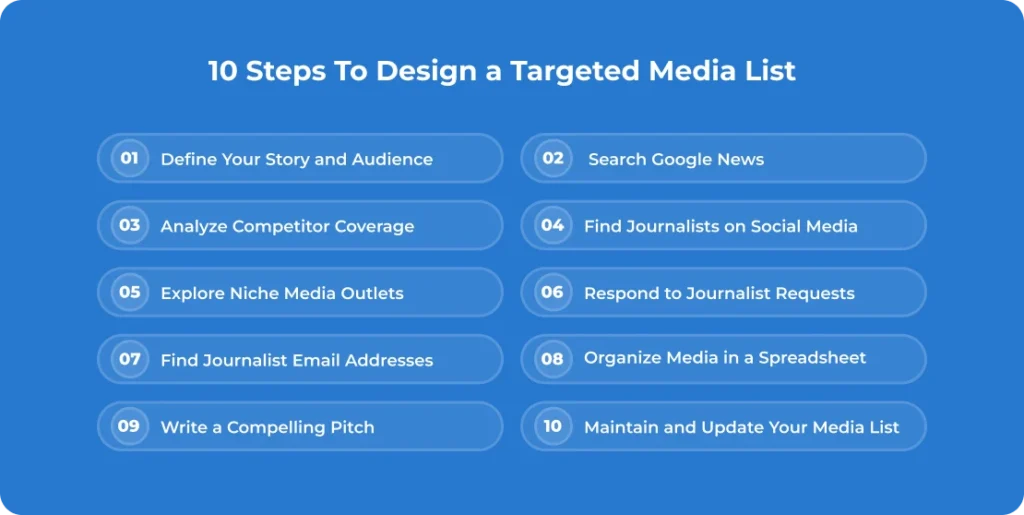
Keep in mind the following steps, such as identifying the story and the audience, searching for journalists on Google News, LinkedIn, and Twitter, competitor analysis, visiting blogs, newsletters, and podcasts, replying to emails from journalists, finding journalist contact information, organising all that in an Excel sheet, writing the pitch, and updating the list.
Start small but be relevant instead of having hundreds of contacts. When your list is finally ready, use it together with distribution.

A media list in PR means a list of journalist contact details, outlet information, context, and industries. The media list helps you with time efficiency, target outreach, and relationship building.
Some of the examples includes television, online news outlets, social media networks, magazines, podcast, radio, newspaper and blogs.
Research different news outlets to look into who’s covering the topics in your niche. Search their social media handles, including Instagram, Twitter, or email IDs. You can also take help from AI tools to pull out their social handles, verify them manually, and you are good to go to pitch them.

You may like these post too